.png?width=2000&height=417&name=virelli-logo-final-white-transbg%20(1).png)

Success Stories
Broadcom
Education
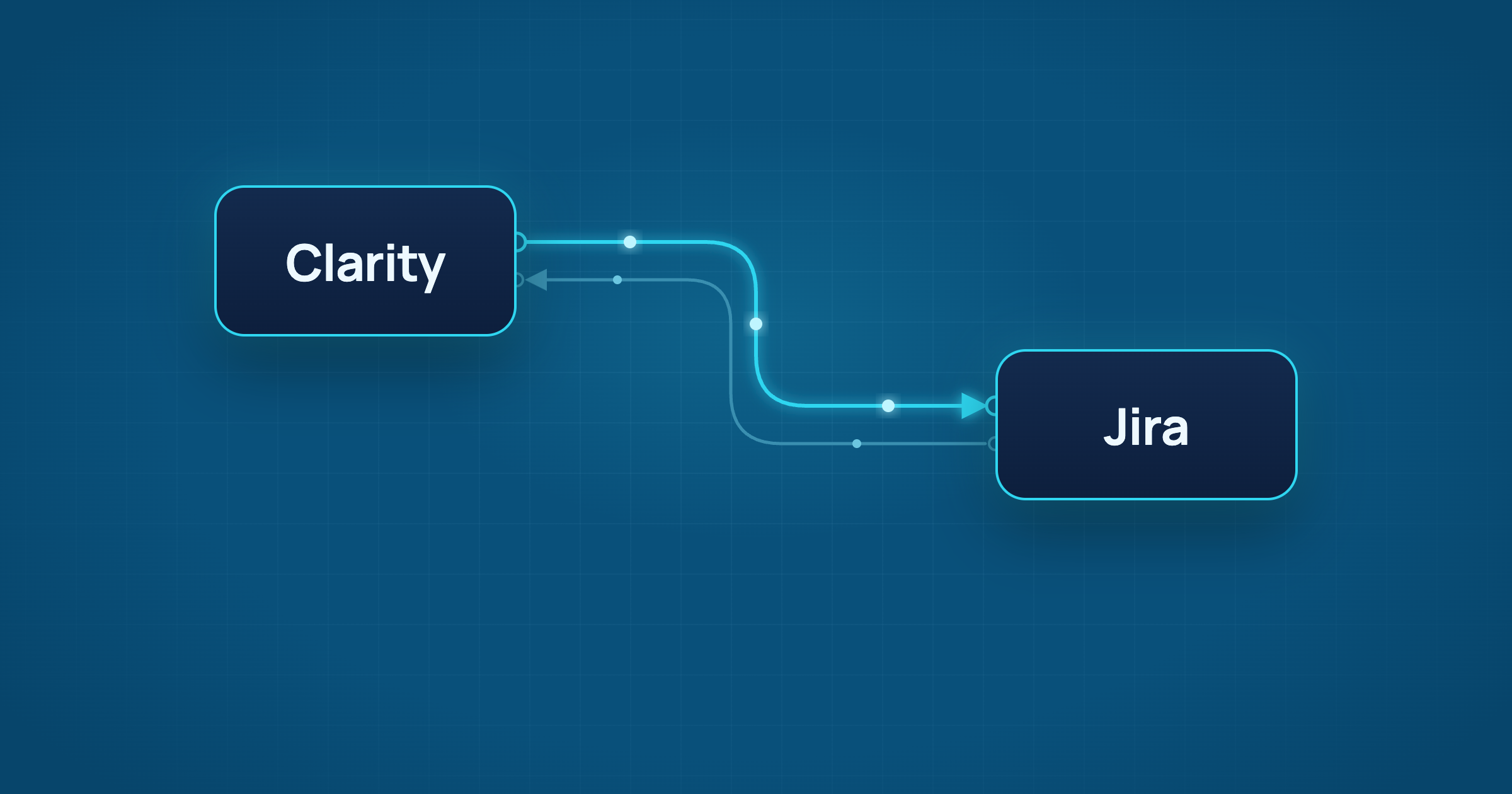

One of the most common integrations we get asked about is connecting Clarity to Jira. The rationale makes complete sense: if you want to plan work for your entire enterprise, you must have visibility into ALL the work being done, not just your project work. And while Clarity comes with an integration to Rally out of the box, for some organizations, Jira is just too embedded into the fabric of their operations to make the move (although we'd love to have a conversation about that topic, we'll save that for another blog).
In the past, connecting other applications to Clarity took advanced programming skills or was limited to standard attributes and functionality. You could build an integration using GEL scripts and Clarity's built-in process engine, purchase a pre-built connector or use a custom script on a server within your organization.
So, would you believe me if I said you could build an integration between Clarity and Jira in 15 minutes with no coding knowledge at all? I understand your skepticism, but not only can this be done, I will show you how!
That's where ConnectALL comes in. Part of ValueOps by Broadcom, ConnectALL automates work and syncs data across your tools using pre-built adapters for Clarity, Jira and many other applications. Have a homegrown app? No problem. ConnectALL's universal adapter can connect to almost anything.
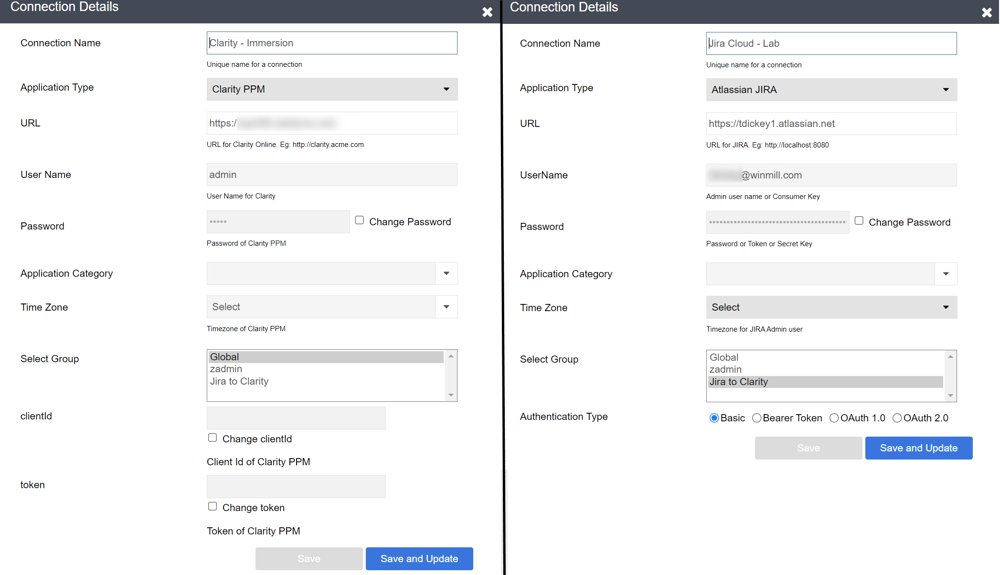
Connections (5 minutes): In the "Connections" tab, add the applications you want to connect (Clarity and Jira). Provide ConnectALL with the URLs and login credentials for each, and you're on your way.
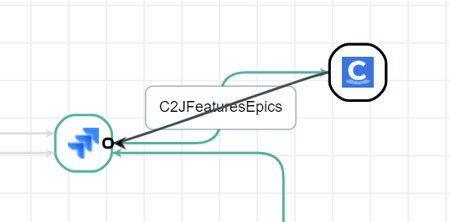
Automation (1 minute): On the Automations page, hover over the source application (Clarity) and drag a line to the destination (Jira). In the popup that appears, name your automation.
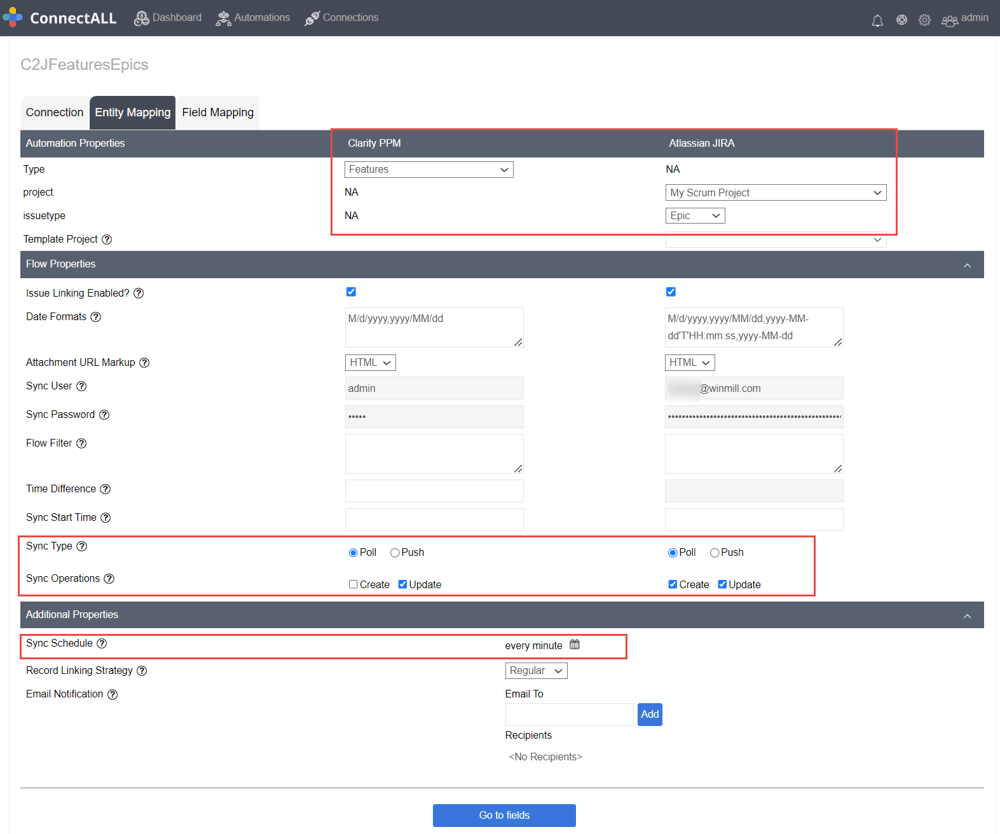
Entity Mapping (3 minutes): Decide which data objects you want to sync. In this case, we're syncing Clarity Features to Jira Epics. Then you need to decide what kind of syncing you will be doing. Here we've selected Poll, which means this interface will run on a timed basis. Set the frequency for polling applications; here, we've selected every minute. Disable "Create" under "Sync Operations" to ensure Features originate only in Clarity.
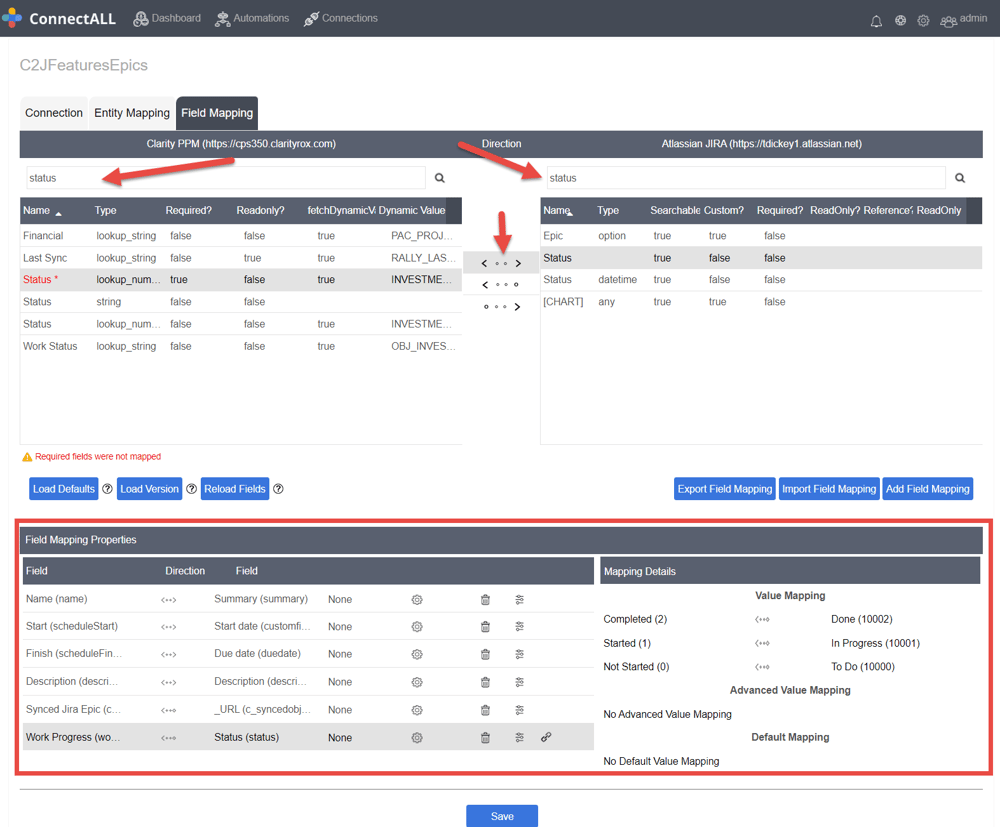
Field Mapping (5 minutes): On this screen, you search for the fields you want to map in each application and which direction the data will move (or indicate that it is a bidirectional sync). Once the attributes are selected, you can provide any data mapping that may be required on the lower half of the screen. In the example below, we've mapped six attributes.
Enable (1 minute): Enable your automation, and that's it!
Total time... 15 minutes! And now you have your first integration built in 15 minutes! Let's see your development team beat that!
Clarity and Jira are just the start. ConnectALL has adapters for many of the tools teams rely on every day, including Rally, ServiceNow, Azure DevOps and GitHub. See the full list of ConnectALL integrations.
The steps above build a working sync for one type of record. A production integration takes more planning, and that's where most of the time goes. ConnectALL can also sync Clarity tasks to Jira stories and bring Jira work logs into Clarity timesheets, so it's worth deciding early how far you want to go.
Before you roll it out, settle these:
Our team builds Clarity and Jira integrations with ConnectALL, and custom integrations when ConnectALL isn't the right fit. We'll recommend the right setup for your environment, from licensing to rollout. Learn more about our integration and migration services.
Yes. The most common way is ConnectALL, part of ValueOps by Broadcom, which connects Clarity and Jira with pre-built adapters and no coding. When ConnectALL isn't the right fit, a custom integration is another option.
Common setups sync Clarity features to Jira epics and Clarity tasks to Jira stories. Field mapping controls which details sync and in which direction.
Yes. ConnectALL can bring Jira work logs into Clarity timesheets. Time flows one way, from Jira into Clarity, and only into timesheets that are still open.
Every Clarity and Jira setup is different. Tell us how your teams work and what you want to connect, and we'll map out the right approach, whether that's a single sync or a full integration across your tools.