
Planview
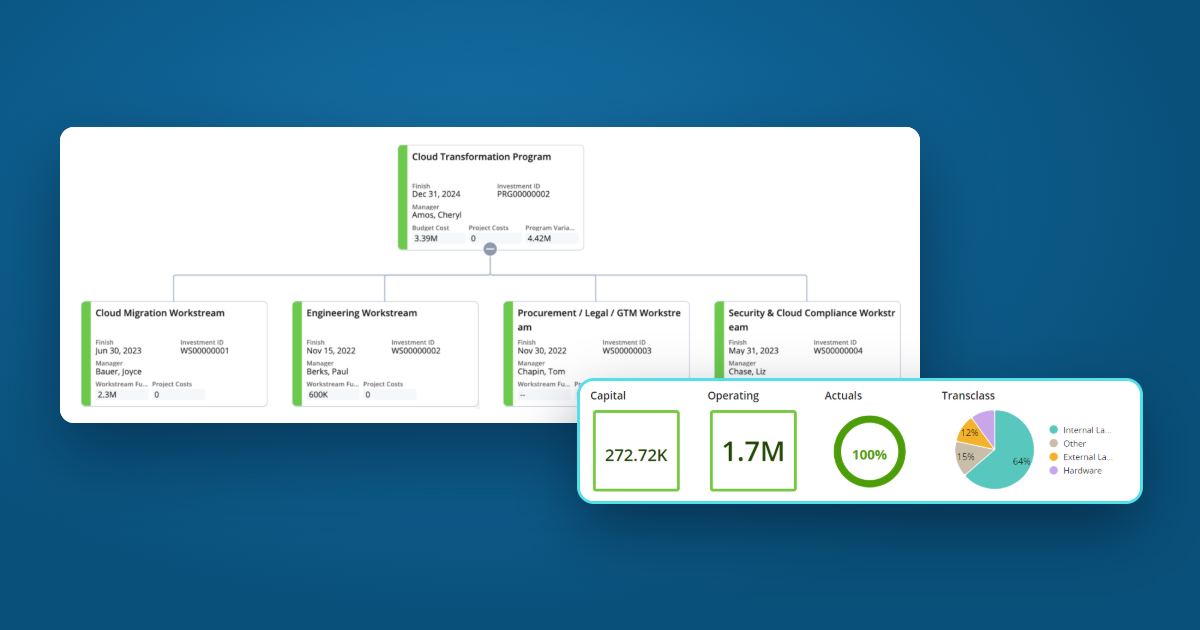

Amidst the buzz of Agile transformation and ‘new ways of working,’ it’s understandable that companies relying on traditional project and program management practices might feel left behind. But with Clarity, a key component of ValueOps by Broadcom, program management is not just catching up; it’s leaping ahead with unprecedented power and efficiency!
Not as a separate object. Broadcom’s guidance is that the Classic program investment isn’t available in the modern UI. Instead, you create a custom investment type for programs and use a hierarchy to bring a program and its child projects together, with schedules, status, and financials rolled up in one place.
When Broadcom introduced the modern UI in 2017, some organizations couldn’t fully embrace it due to the lack of a program management feature. As a result, they continued to rely on the Classic PPM interface, missing out on numerous new features. However, over the years, Broadcom has enhanced the Hierarchy module, offering a comprehensive view of program and child project details that far surpasses the functionality of the Classic program.
So, if there is no Program Object, how is it possible that Program management is better? Two components make this true: Custom Investment Types (CITs) and Hierarchies.
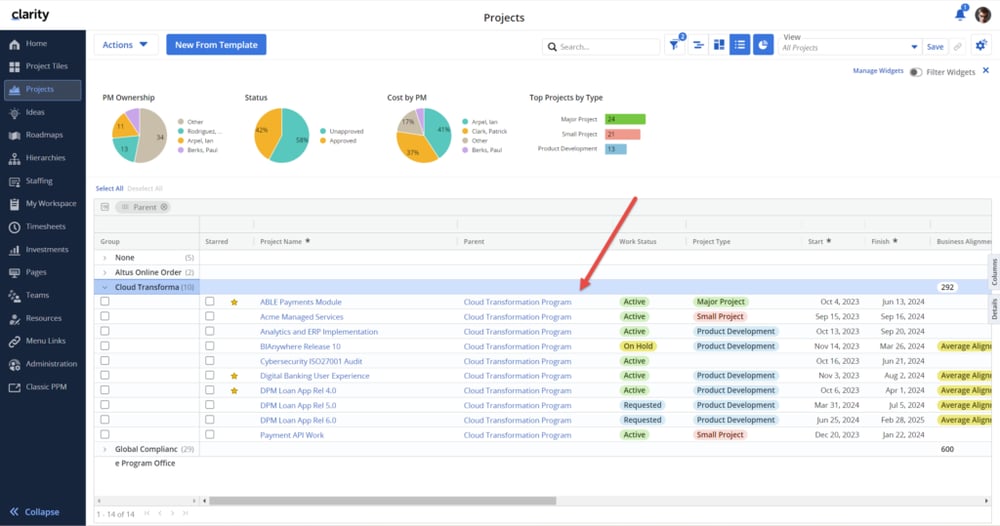
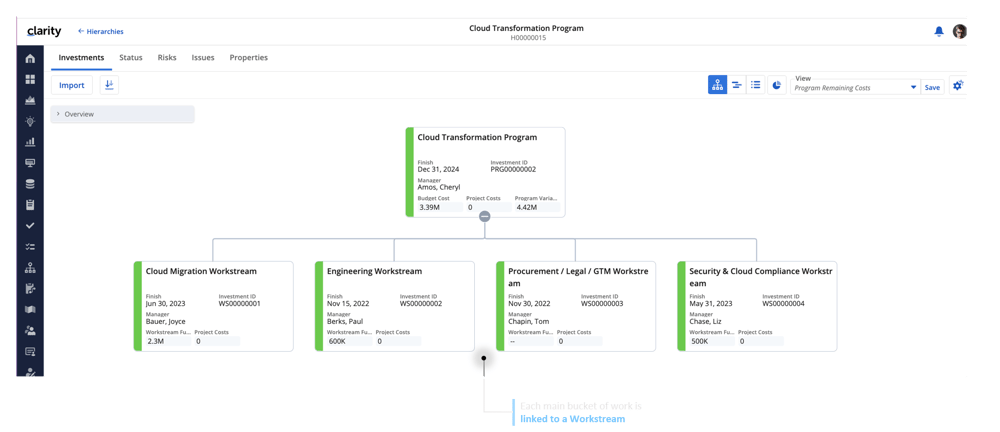
With the Hierarchy module, you gain a comprehensive view of your program and all its children projects. You can see a combined Gantt chart of the program and all its children projects in a single view. There are also options to see the program’s schedule in a calendar, board, or list view. (Hot tip: filter this page to show only milestones and you have a quick way to communicate key events during the program’s execution.) You can also show key milestones right on the hierarchy timeline from View Options.
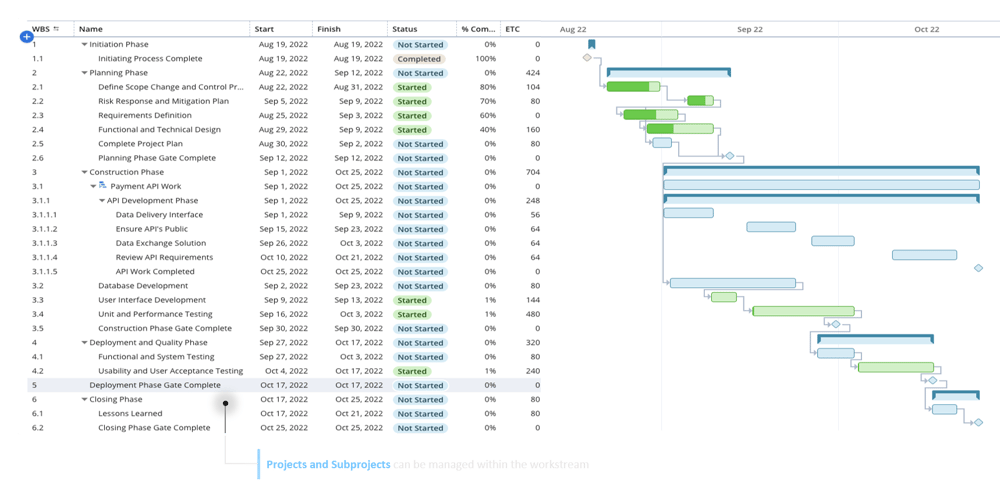
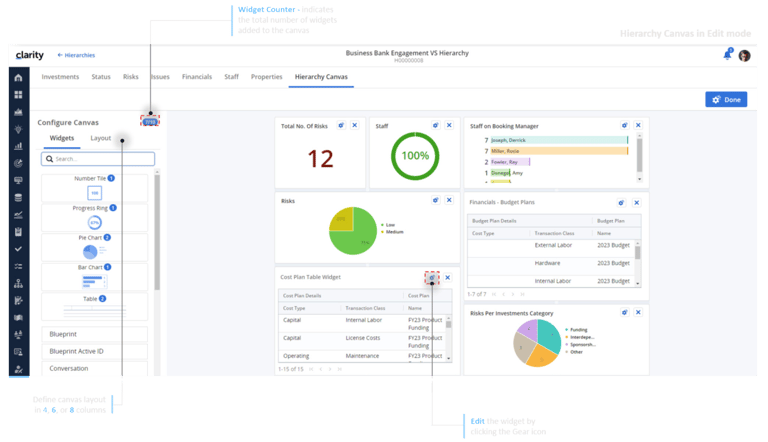
You can see a status summary of all the children projects to get a quick overview of the program’s health. Widgets can give you a quick visual representation of the program’s health without building custom reports!
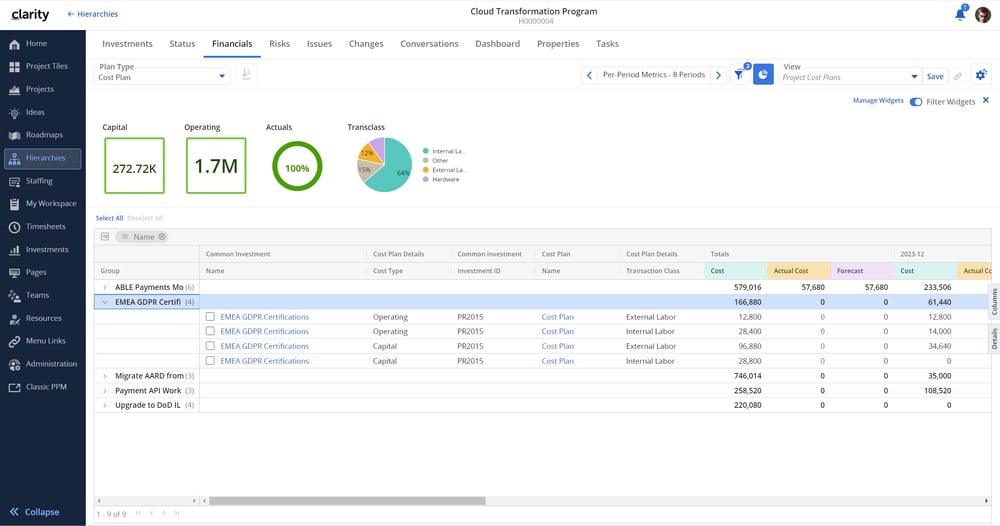
With Clarity’s modern UI, managing your program’s financials is a breeze. A detailed and roll-up view of the program’s financials is readily available without having to chase down project managers. All program and child project-level financials can be viewed in the financials table and change request pages. Everything you need to manage your program is at your fingertips, empowering you to make informed decisions and drive your program’s success! For an example of funding managed from the top down, see how UCLA manages funding and purchase orders in Clarity.
Hierarchies don’t have to be maintained by hand. Hierarchy managers can schedule recurring imports with filters, so new projects that belong to a program join its hierarchy automatically.
If program management has been a factor in your organization’s reluctance to migrate away from Classic PPM, it is time to rethink that decision. Program management has been empowered in Clarity’s modern UI, and a world of usability enhancements are ready and waiting for you! These enhancements include a more intuitive user interface, streamlined workflows, and advanced reporting capabilities.
If you are interested in exploring a modern UI transition, reach out to Virelli today to discuss it! We have helped countless organizations make the move, and they have never looked back! Our services go beyond implementation, including health checks, custom implementations, training, and ongoing managed services.
Classic PPM is still part of Clarity, and programs set up there still work there. Broadcom doesn’t carry the Classic program object into the modern UI, though, so programs there are built with a custom investment type and a hierarchy.
The Parent attribute sets a project’s direct parent investment. A hierarchy is a separate structure you build in the Hierarchies workspace, and it can use the Parent attribute to import a program’s children automatically.
Yes. A hierarchy shows financial plans for the program and each child project, and metrics you define add up across every level.
Talk with a Clarity expert about your programs, your Classic PPM setup, and the simplest path to rolling everything up in the modern UI.