
ValueOps
Clarity


Connecting finance and project management is the holy grail of business operations: desirable, yet difficult to attain. Portfolio decisions get made in one system while budgets, actuals, forecasts, and purchase orders live in another, and the two rarely line up.
It's understandable why.
Most general PM tools are limited in scope and fall short when it comes to managing multiple projects with complex financial requirements. Intensive capacity planning, complex resource allocation, advanced analytics, and integrations with financial systems are often beyond their capabilities.
On the other hand, while powerful, high-end ERP systems can strain budgets and may not provide the flexibility and specialized features that dedicated PPM tools offer.
This is where advanced PPM tools like Clarity step in. Clarity excels at blending financial oversight with project portfolio management, so portfolio decisions and the numbers behind them stay connected.
Whether you're evaluating Clarity or already running it and not getting the financial picture you expected, this guide covers how Clarity connects to your financial systems, the most common mistakes, and how to avoid them.
Imagine managing multiple projects with tight schedules and budgets. You need to track purchase orders and vendor invoices, plan capacity, assign staff, and manage timesheets, all while reporting against a budget that was approved months ago. These tasks are usually split between disparate financial, accounting, and project management systems, forcing you to bounce between them to get anything done.
By integrating with your financial systems, Clarity creates a steady flow of information between the financial system and the project management solution. This expressway keeps essential data in sync on a schedule you set.
Integrating your financial system with Clarity gives you the synchronization you have always needed.
But it doesn't stop there. Harnessing this integration, Clarity opens up a new level of financial optimization and efficiency in project management. With financial integration, you can:
Clarity provides a unified approach to managing project finances by integrating with your financial systems. This unified method ensures complete control and visibility over every aspect of your project's financials for optimal management.
This level of control and management is made possible by the foundational financial components of Clarity. These essential pieces fit together to offer a detailed and cohesive view of your project's financials.
To give you a clearer picture of how effectively Clarity integrates with financial systems to deliver a 360-degree view of your project's finances, let's look into the key financial components that make this work:
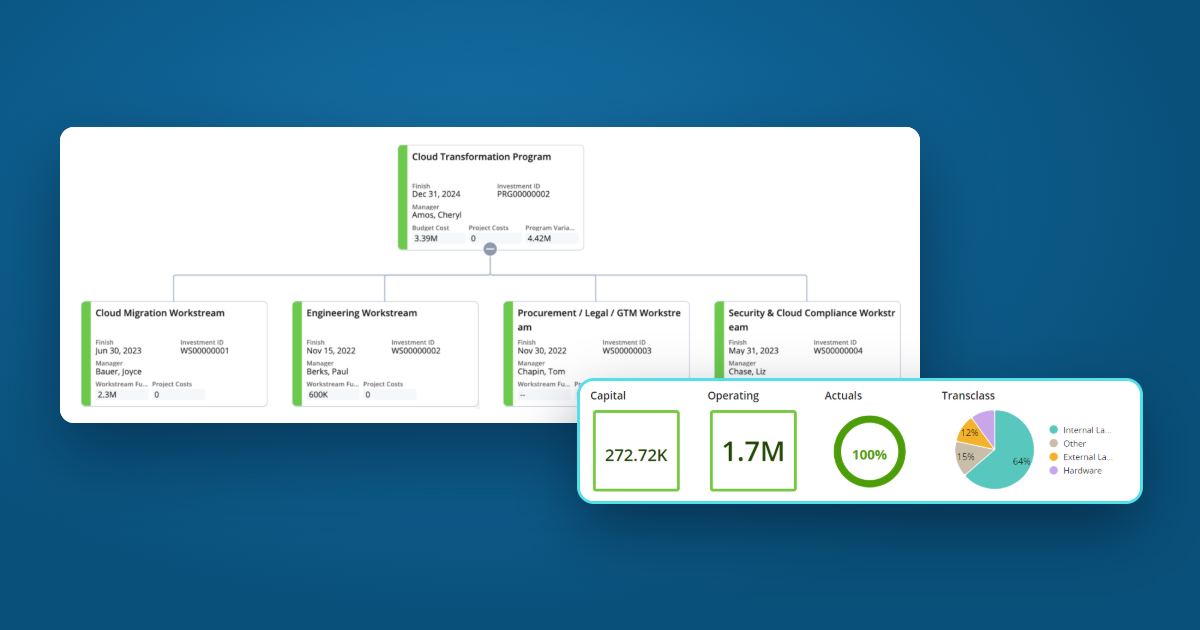
With core financial components at the center, features like the rate matrix, actual costs, cost, budget, and benefit plans, and hierarchy rollups form the foundation of Clarity's financial management system.
These elements work together to create a reliable connection with your financial systems. They build a bridge that ensures free-flowing financial information, 360-degree visibility, and granular control of the project's finances.
Clarity excels in financial management thanks to a powerful set of financial components. However, the strength of its features doesn't automatically guarantee a smooth execution. The back end of any powerful system comes with its share of challenges, and things can go sideways quickly when the integration isn't done right.
It's not just about having great features. It's about how well they're implemented, integrated, and aligned with your processes.
Virelli's team has worked with Clarity longer than anyone else.
We've integrated Clarity with many financial systems, including a custom integration that brings non-labor actuals from Oracle Financials into Clarity for an energy company, with automated data checks so costs stay accurate without manual fixes. Our team has tackled many common issues and gotten projects back on track when they went awry.
Based on what we've seen so far, here are some of the most frequent mistakes and pitfalls in PPM implementations:
While the mistakes we've discussed are common, the biggest issue is often underestimating the complexity of financial integrations. Financial management features can be trickier than anticipated, so the integration process usually requires extensive customization and setup. If these aren't handled properly, they can lead to a cascade of problems, causing delays and impacting the overall project.
Many implementations don't give this complexity enough attention, creating a chain reaction of issues and setbacks. To avoid these problems, following best practices for PPM implementation is essential, especially regarding financial integrations.
The simplest way to avoid these pitfalls and save time and money is to work with a team that has a solid track record with Clarity implementation.
Every business is unique, with its own set of financial processes, requirements, and goals. This often leads to a need for customization, which can create challenges during PPM implementations.
Integrating financial systems with your PPM tool can feel like navigating a complex maze. Without the right approach and expertise, you risk encountering obstacles that waste time and complicate the process.
At Virelli, we use a structured, strategic approach to ensure your financial integration with Clarity is smooth and successful. Here's how we can help:
If you're already running Clarity and the financial picture still lives in spreadsheets, a Solution health check is a good place to start. To see a top-down funding model in practice, read how UCLA manages funding and purchase orders in Clarity.
Yes. Clarity can import financial transactions from external financial systems, and it has APIs for exchanging data. The connection is usually configured for each organization's ERP and chart of accounts rather than installed as a ready-made connector.
A cost plan is a working estimate of what an investment will cost, and an investment can have several. When a cost plan is marked as the plan of record and approved, it becomes the budget plan: the approved baseline that actual spending and forecasts are measured against.
Yes. Clarity's financial management can separate capitalized expenditures from expenses for financial reporting and compliance, so capital projects can be tracked the way finance reports them.
Whether you're evaluating Clarity or trying to get more from the system you have, we'll walk through how your budgets, actuals, and forecasts flow today and what it would take to connect them.